
Domains#
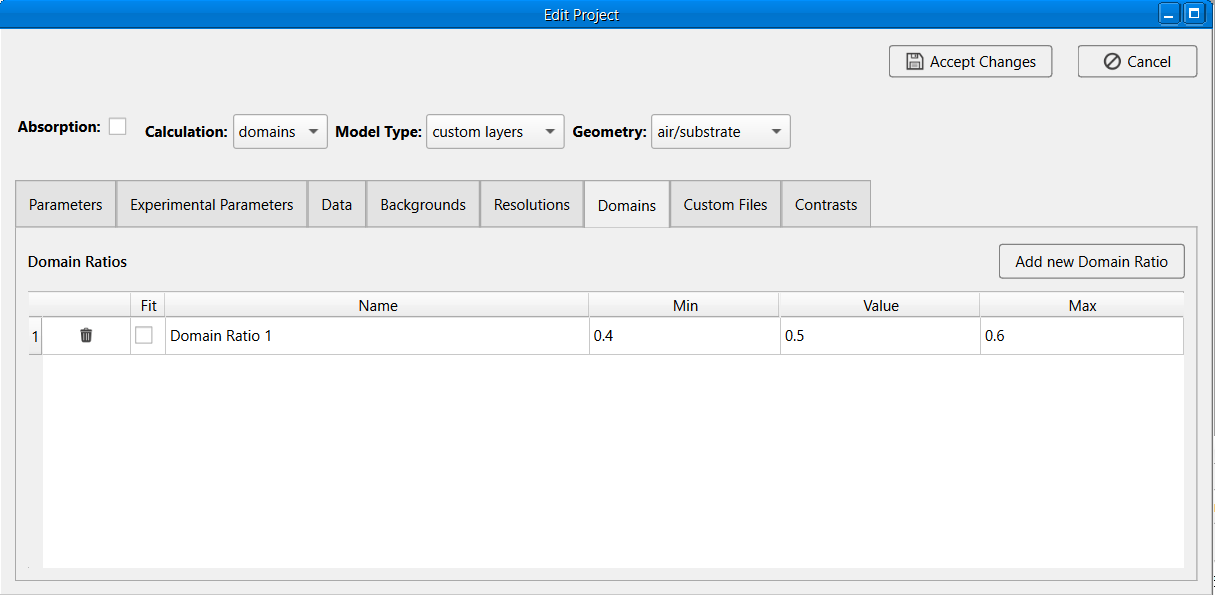
A domains calculations relies on grouping the layers into domains, then grouping the defined domains into contrasts, according to a domain ratio parameter. A domain ratio can be defined in the domains tab then referenced in a contrast. For a standard layers project, the domains or domain contrast can also be created in the domains tab and referenced in the contrast, Custom Layer and Custom XY projects are expected to group the domains in their associated custom functions.
The domains tab will only be visible when the Calculation is set to domains. It contains a parameter table for domain ratios .
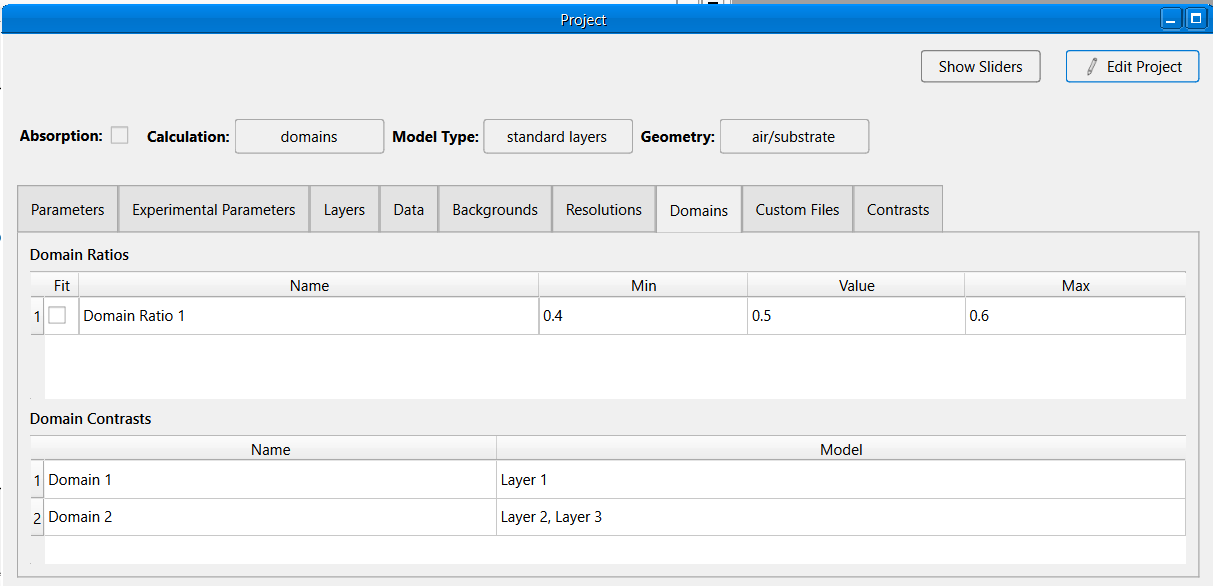
It also contains a table for domain contrasts if the Model Type is standard layers. Each row in the domain contrast table has the following properties:
Name: The name of the domain contrast.
Model: This is should be layer or list of layer names that make up the slab model for the domain contrast.
Add and Remove Domain Ratios#
To add a new domain ratio (in edit mode):

Click the Add new Domain Ratio button at the top right of the tab.
A new row entry will be added to the table with an auto generated name. The name can be changed by double clicking the cell.
Modify the other entries by double clicking the cell and select the appropriate value from the dropdown.
To remove a domain ratio (in edit mode), simply click the  button on the specific row you want to remove.
Add and Remove Domain Contrasts#
To add a new domain contrast (in edit mode):
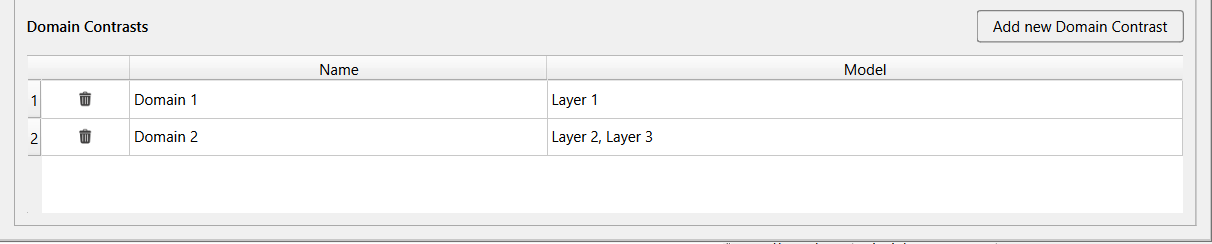
Click the Add new Domain Contrast button at the top right of the Domain Contrast table.
A new row entry will be added to the table with an auto generated name. The name can be changed by double clicking the cell.
Modify the model by double clicking the cell, click the
 button, and select a layer from the dropdown.
Repeat and select as many layers as needed. A layer can be removed from the model by clicking the layer name and
clicking the button in the model cell.
button, and select a layer from the dropdown.
Repeat and select as many layers as needed. A layer can be removed from the model by clicking the layer name and
clicking the button in the model cell.
To remove a domain contrast (in edit mode), simply click the button on the specific row you want to remove.