
Resolutions#
Resolutions describe how the instrument resolution should be accounted for in the experiment. A resolution can be defined in the resolutions tab then referenced in a contrast. The resolutions tab has 2 tables, the top table is a resolution parameters table which is meant to hold parameters that are referenced by the resolutions table at the bottom.
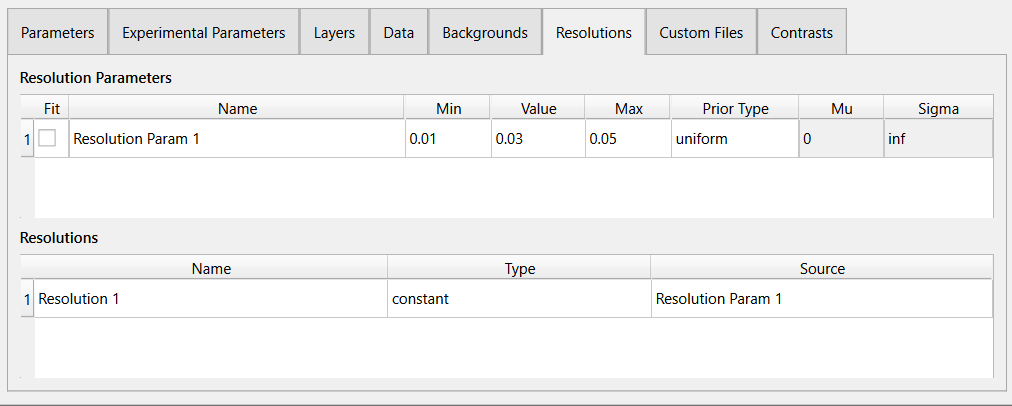
Resolutions for an experiment can be described in RasCAL in the following ways:
As a constant resolutions, which uses a single resolution parameter.
As a data resolutions, which has no parameters but it informs RasCAL to expect a fourth column in the dataset.
Add and Remove Resolutions#
To add a new resolution (in edit mode):
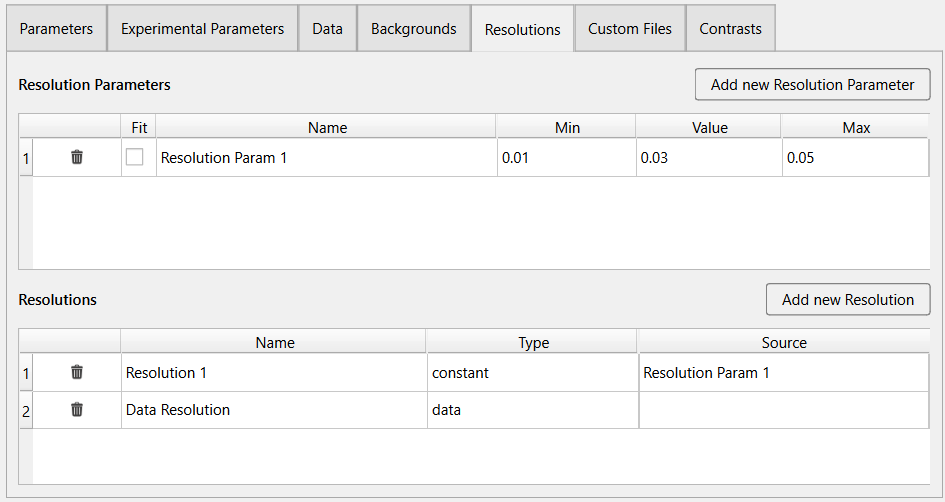
Constant Resolution
Click the Add new Resolution Parameter button at the top right of the tab. A new row entry will be added to the resolution parameters table with an auto generated name. Modify the new entry by double clicking the cells and updating their values.
Click the Add new Resolution button. A new row entry will be added to the resolutions table with an auto generated name.
Change Type to constant and Source to the parameter added in step 1.
Data Resolution
Click the Add new Resolution button. A new row entry will be added to the resolutions table with an auto generated name.
Change Type to data.
To remove a resolution file (in edit mode), simply click the  button on the specific row you want to remove.
Also remember to delete the related resolution parameters if they are unused.
button on the specific row you want to remove.
Also remember to delete the related resolution parameters if they are unused.